Equipment Maintenance and Services
- *If there is no printing for a long time in the later stage, the material barrel and extruder should be cleaned in a timely manner after the current printing work is completed.
- Storage and cleaning of material barrels.
- After printing is completed, cut off the power supply, release the pressure to 0MPa through the pressure regulating valve, unplug the air pipe, and then remove the material bucket from the material rack.
- If there is a lot of remaining mud, wrap the discharge port with cling film to prevent the mud from losing water and drying out. It can be used again next time.
- If there is less remaining mud, it is recommended to clean it directly.
- a. Remove the material cover and clean any remaining clay on it;
- b. Insert the trachea into the air outlet of the material barrel, slowly pressurize, and discharge the remaining material and piston (do not face the outlet towards people);
- c. Remove the feed pipe, wrap and seal both ends of the pipe with cling film, and store it in a water tank. It can be used directly next time.
- Clean the extruder components.
- Pull out the motor connection wire and use a 2.5mm hex wrench to remove the extruder from the slide rail.
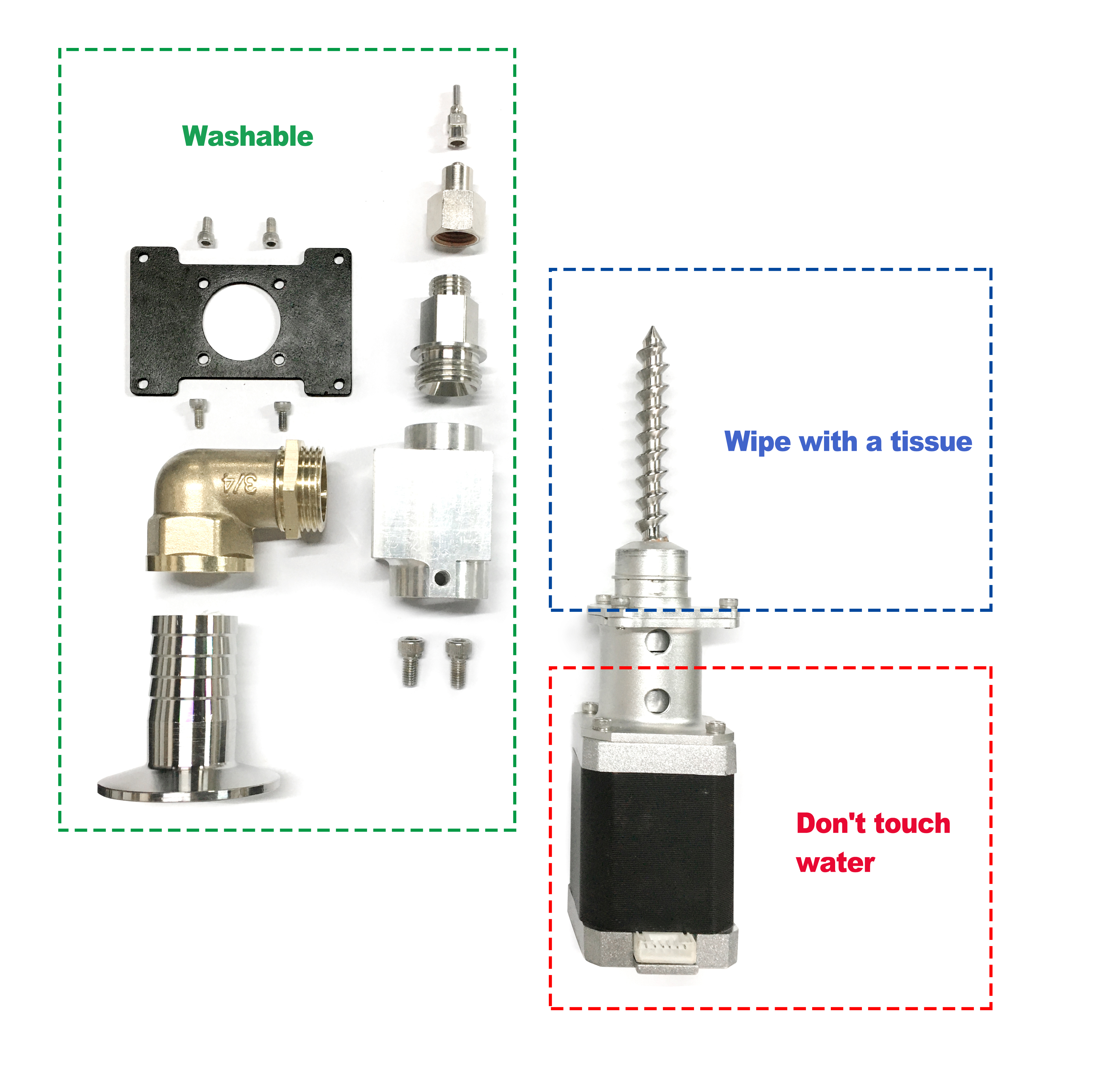
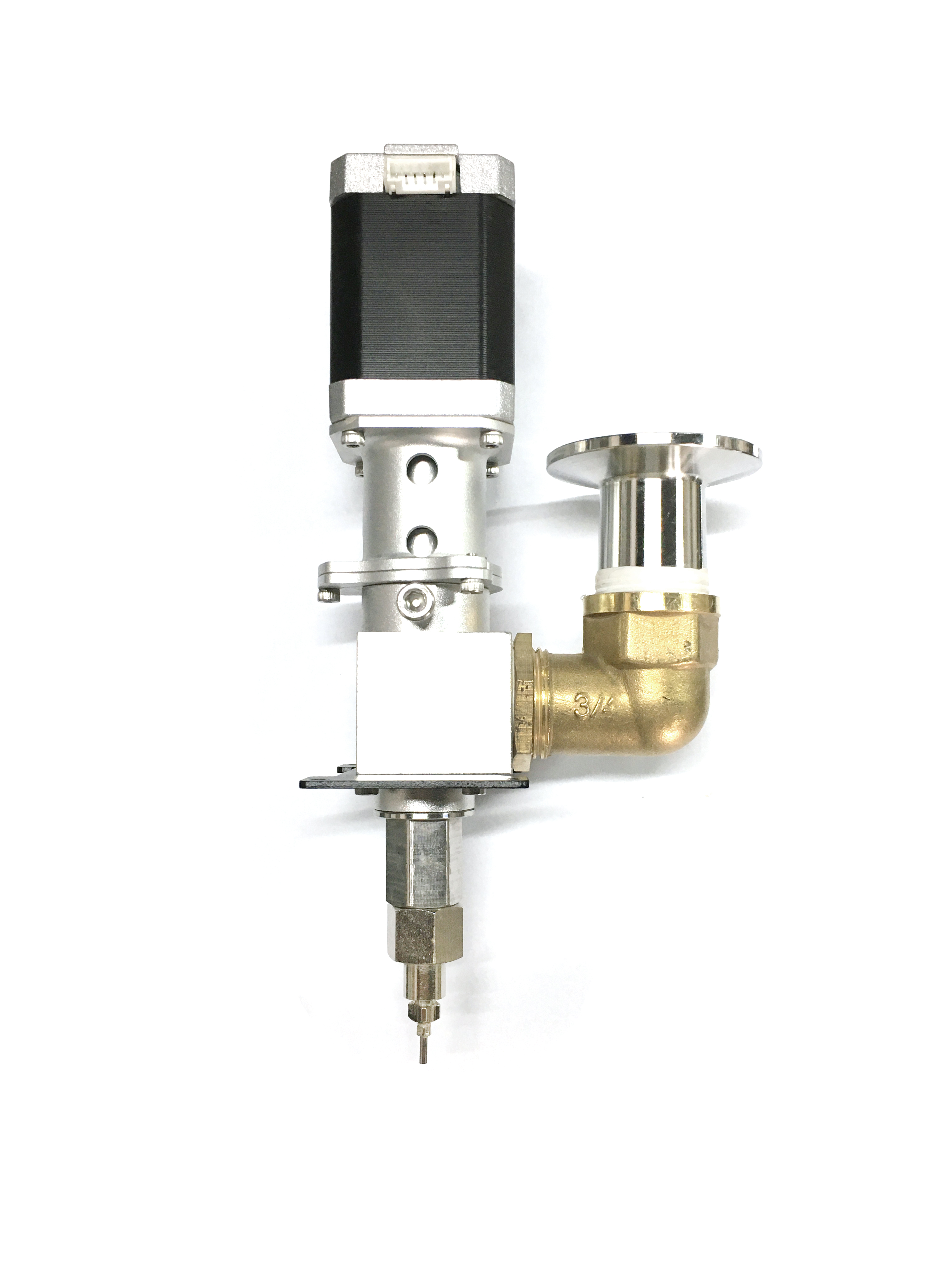
- Disassemble the extruder and clean the internal mud, taking care not to touch the motor part with water. (Fig. P-57)
- Other precautions.
- Do not place the device in a damp environment;
- The equipment should be placed on a flat desktop for operation;
- After printing, the device power should be disconnected and the pressure should be relieved;
- Clean the equipment promptly and keep it clean after printing is completed;
- Unused mud should be sealed and stored for moisture retention;
- To avoid model deformation, do not touch the model, moving platform, glass etc. with your hands during printing or shortly after printing is completed;
- Regularly oil the slide rails and screw rods.
P-57