Replace Supplies
- Click on the first [Pause] icon in the bottom left of the control panel (Fig. P-48)
- Click [No] in the new pop-up window. (Fig. P-49)
- Pull down the pressure regulating valve knob, expose the orange part, and then rotate the knob clockwise to release pressure to 0MPa. (Fig. P-50)
- Press the blue interface on the material cover and pull out the air pipe. (Fig. P-51)
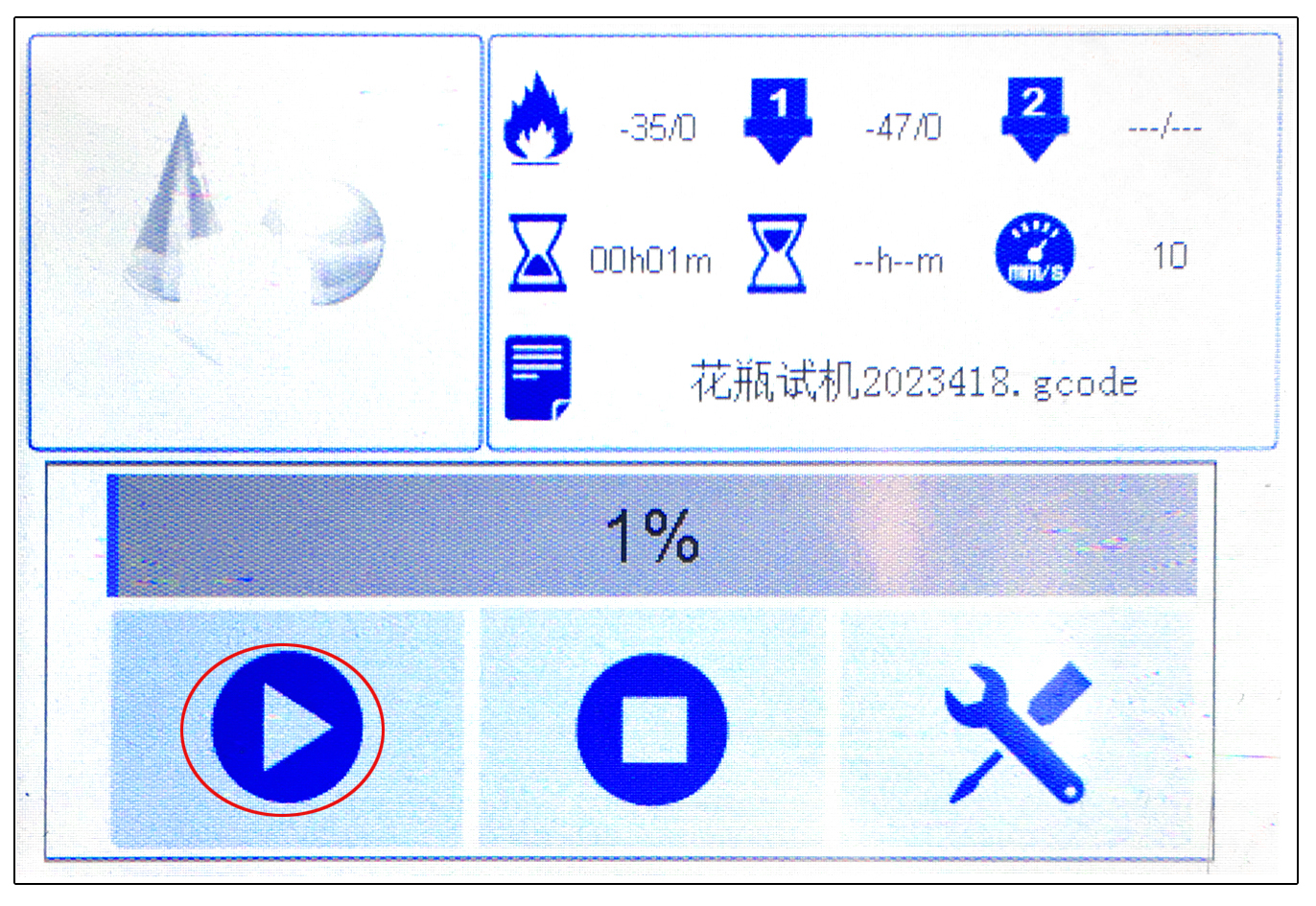
- After replacing the material cylinder, reconnect the air pipe, increase the pressure, and click on the first [Start] icon in the bottom left of the control panel to continue printing. (Fig. P-52)
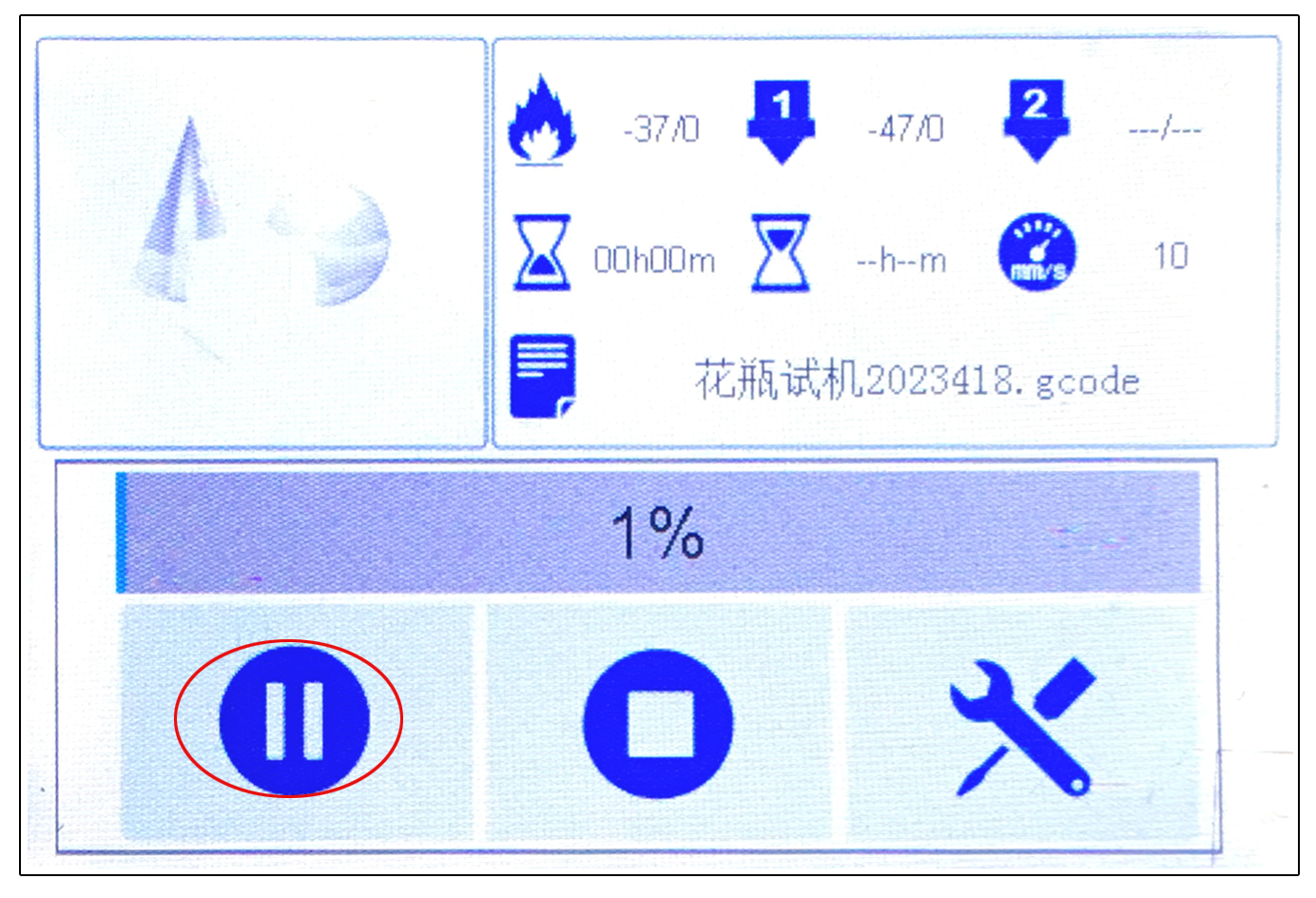
P-48
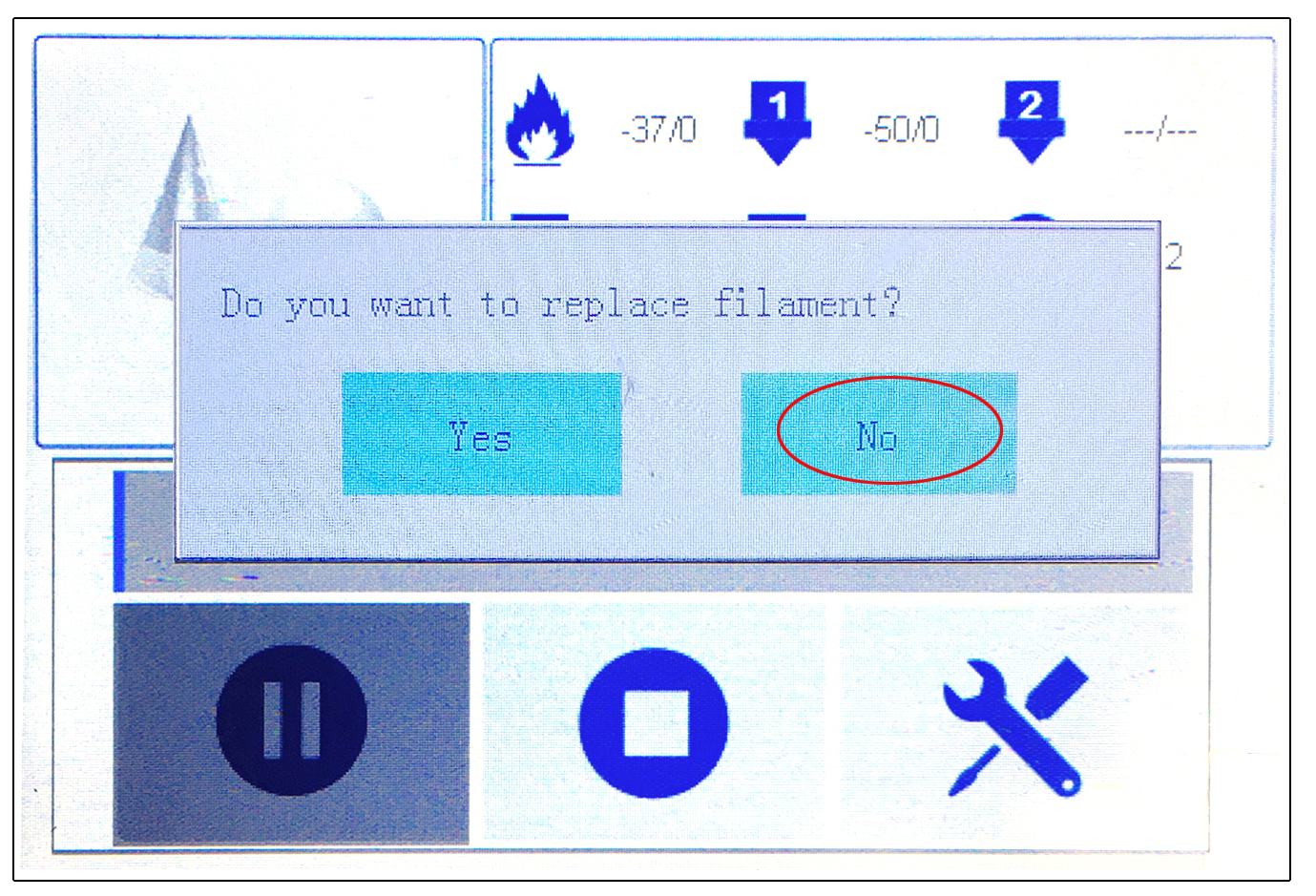
P-49
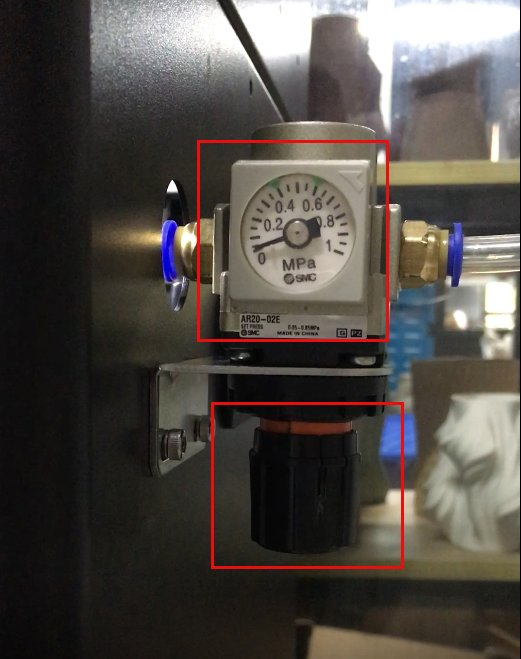
P-50
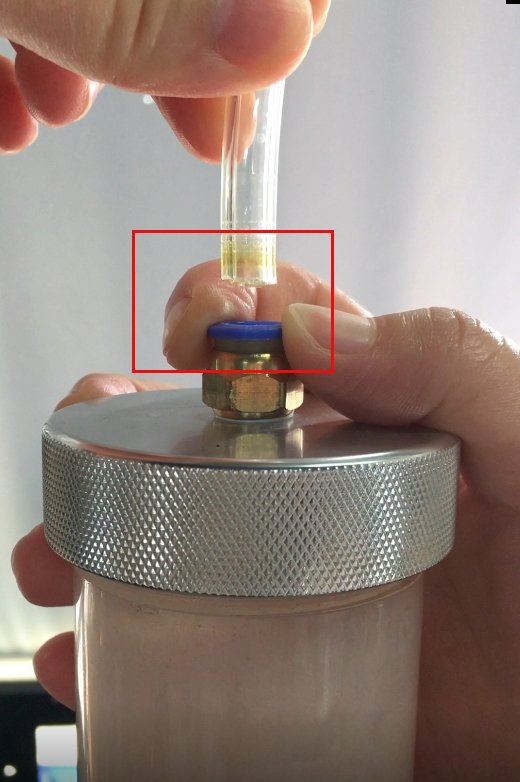
P-51